

Know who you're up against before the minions spawn.
LazyElo follows the League client and shows what matters on your second screen: which champion to pick, who is premade, who is ahead in every lane and what to do differently after the game.
Free, version 0.15.0, 50 MB, for Windows 10 and 11
See all featuresIt only watches, and there are no ads.
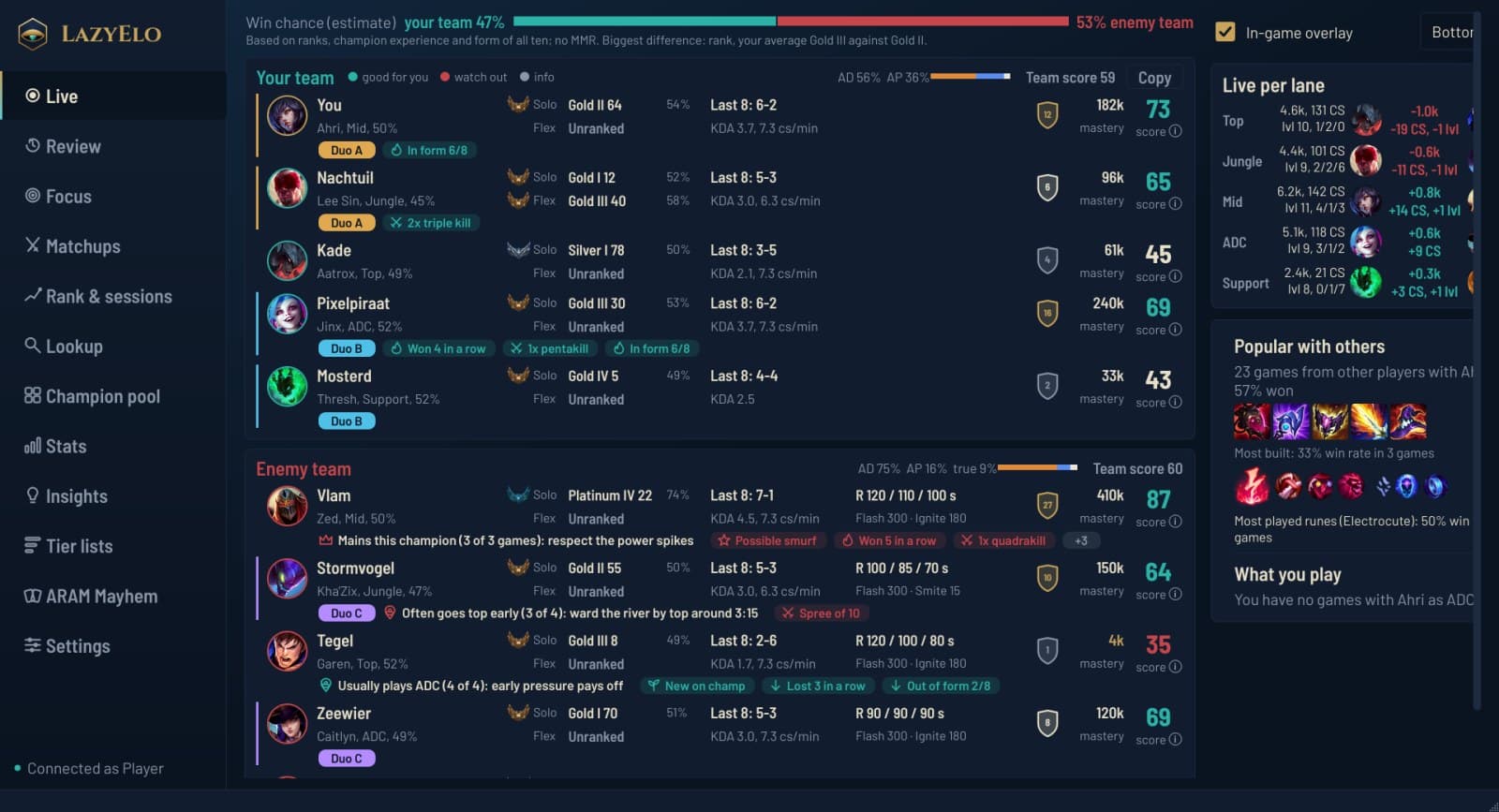
A whole game, from pick to review
LazyElo knows which phase you are in and shows what helps at that moment.
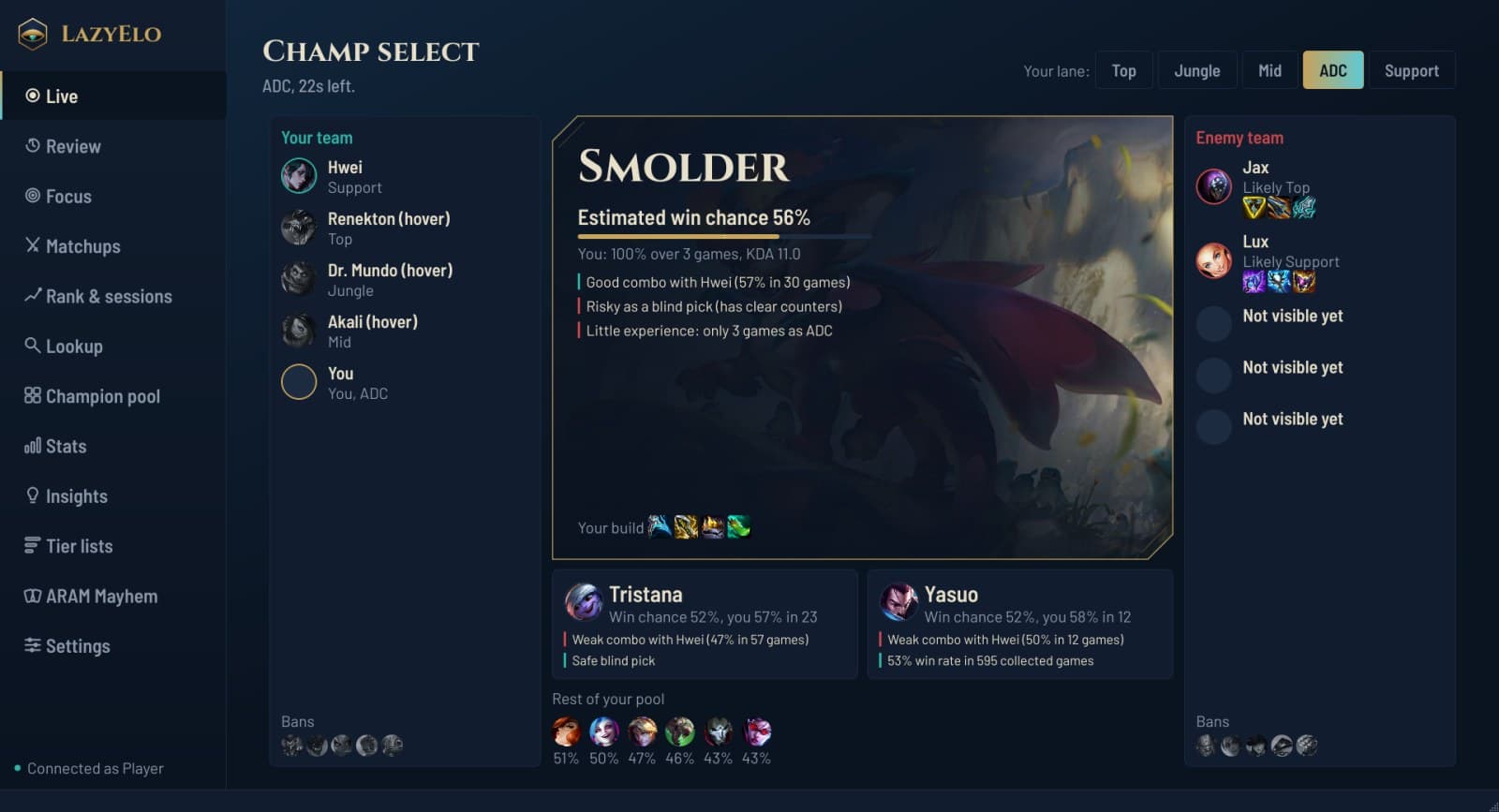
Champ select
Which champion from your pool fits best against this team, with the reason. You make the pick.
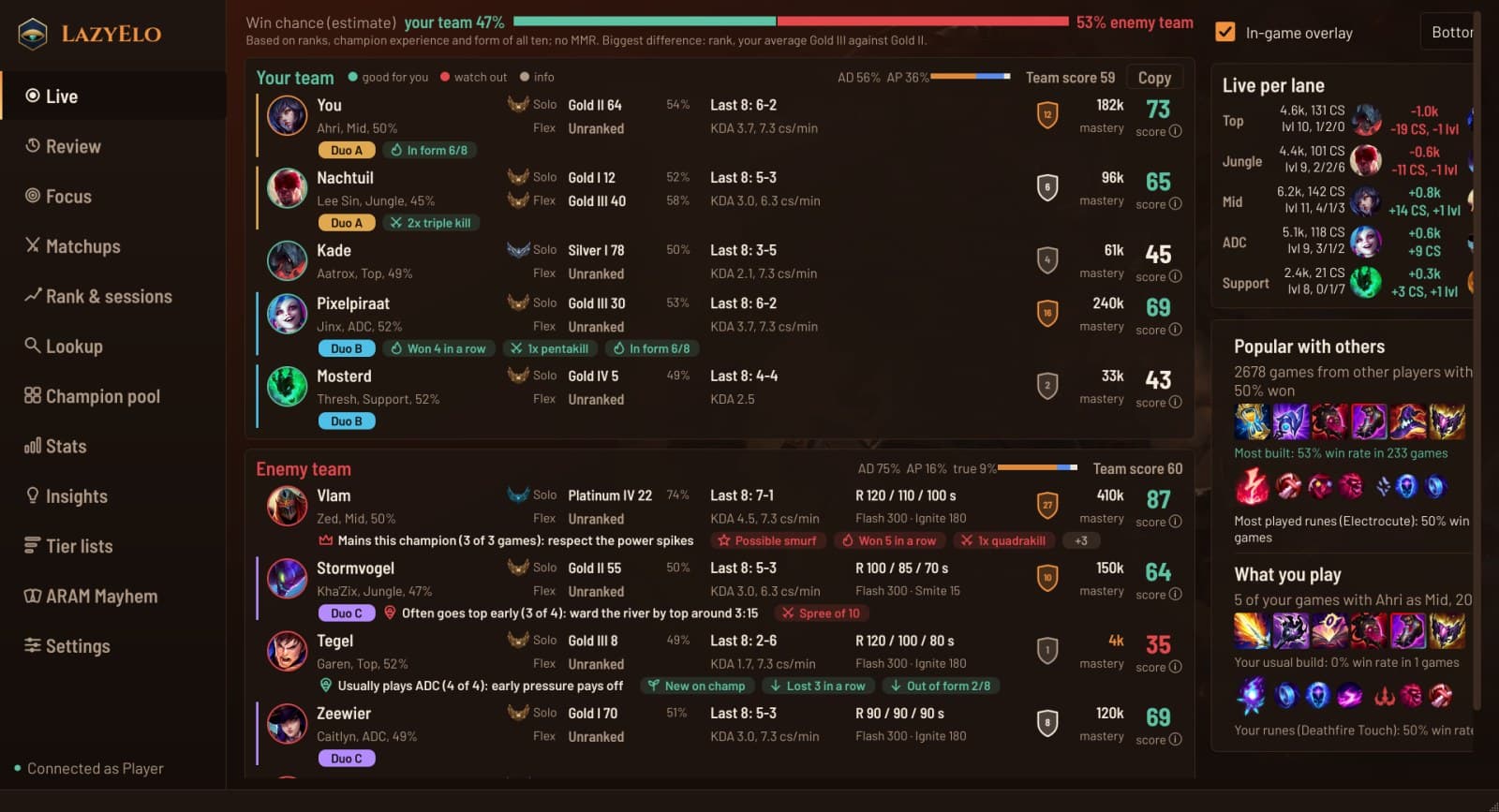
Loading screen
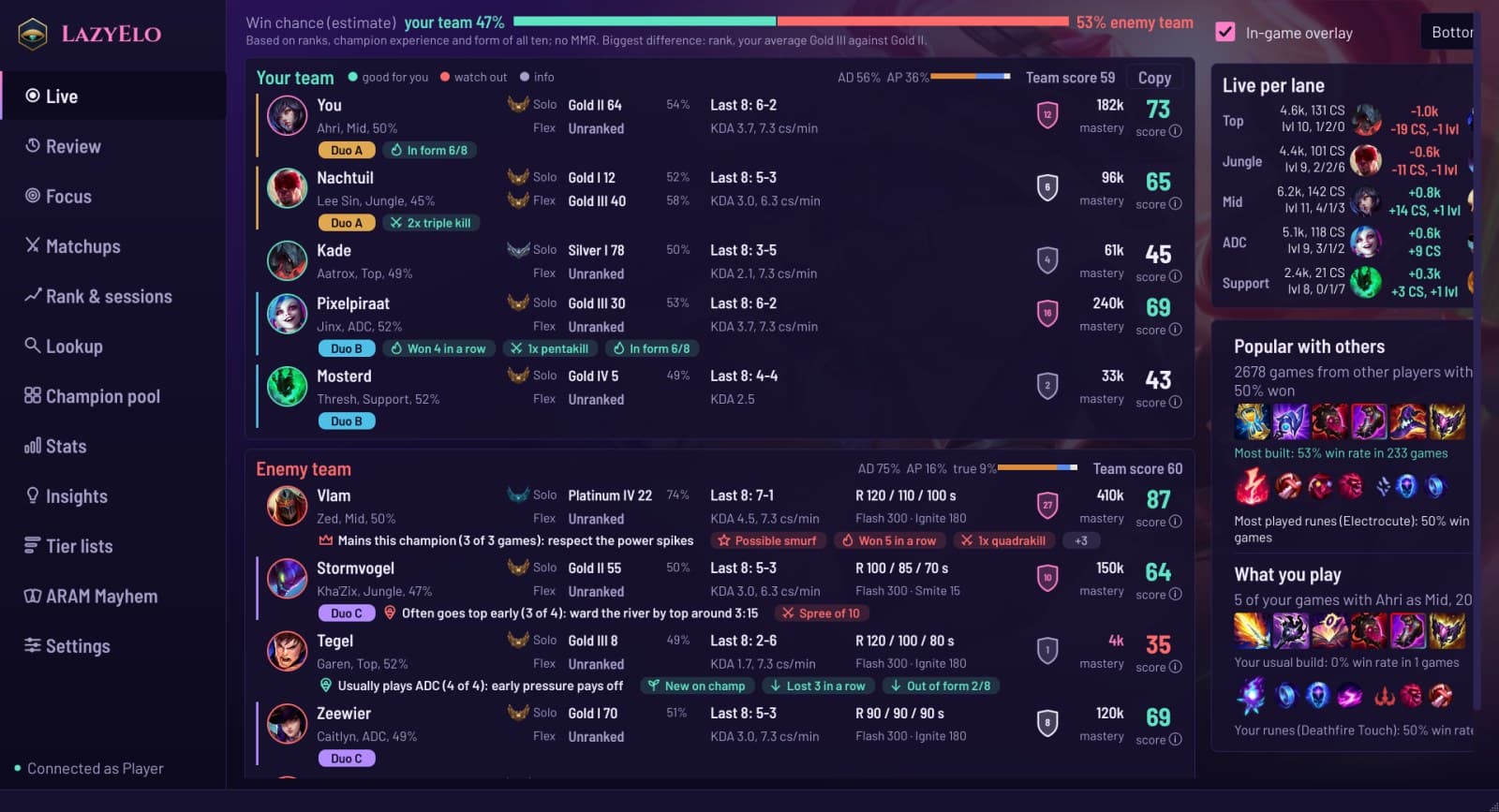
A score per player, premades in their own color, autofills and one-tricks, their jungler and each team's win chance.
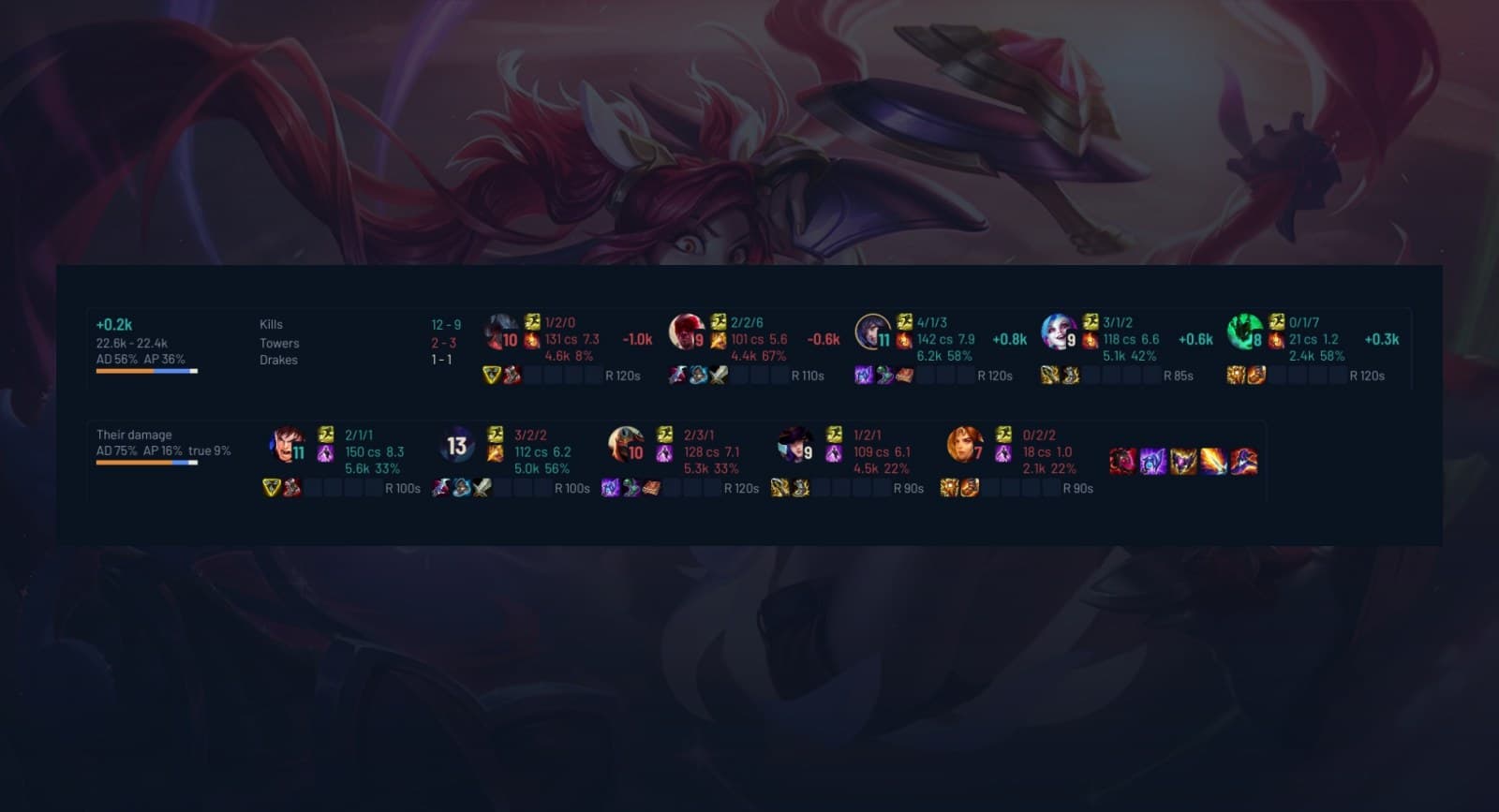
In game
An overlay beside your ability bar: per lane who is ahead in gold, CS and level, with everyone's spells and items.
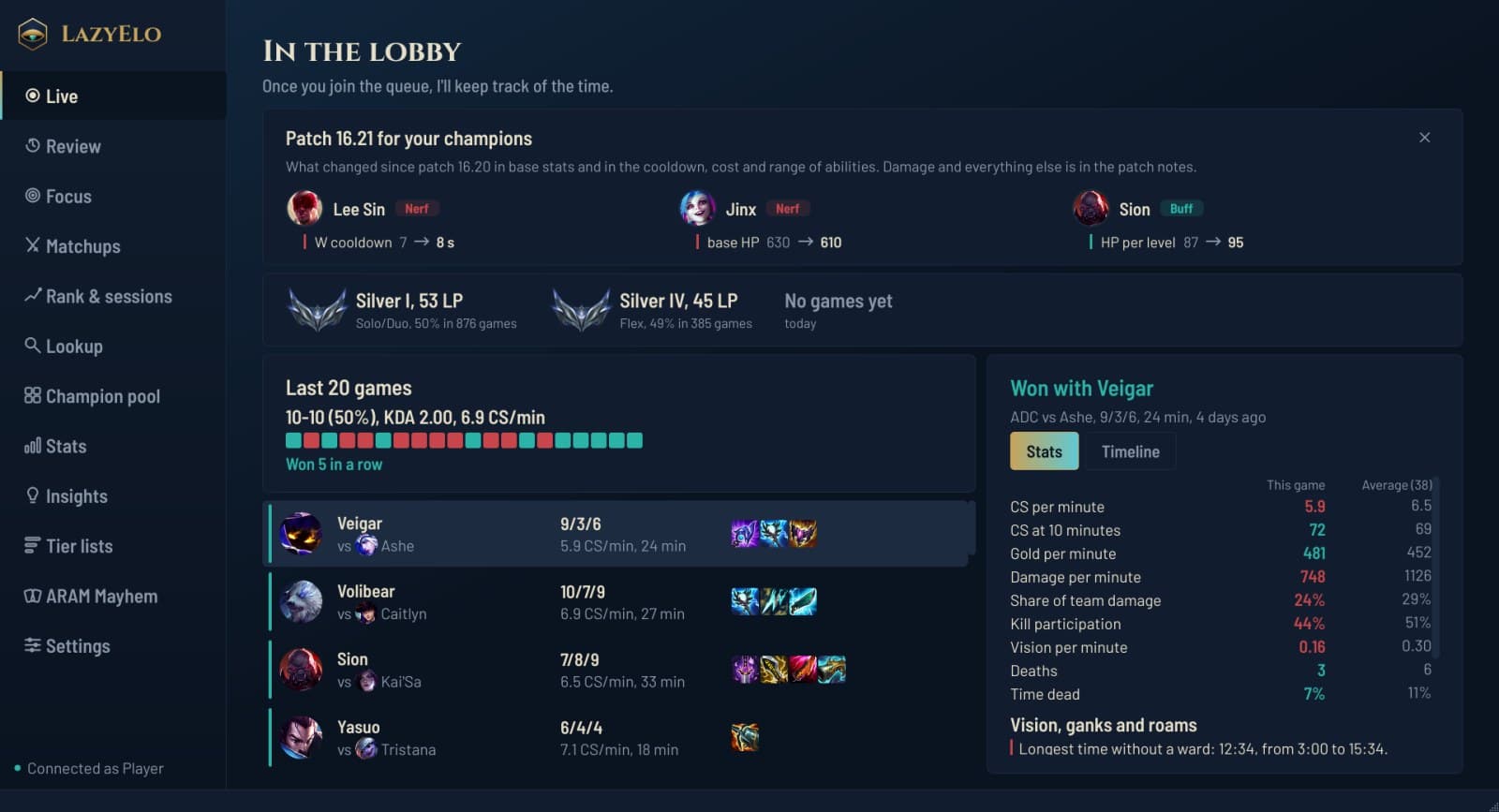
After the game
What went well and what could be better, with gaps in your warding, roams and ganks from your game's timeline.
Everything on TAB, without pressing TAB
The overlay sits beside your ability bar, your team on the left and the enemies on the right. Per lane you see who is ahead in gold, CS, level and K/D/A: green for whoever is ahead, red for whoever is behind. A dead player turns gray with the seconds until respawn. Your clicks go right through it.

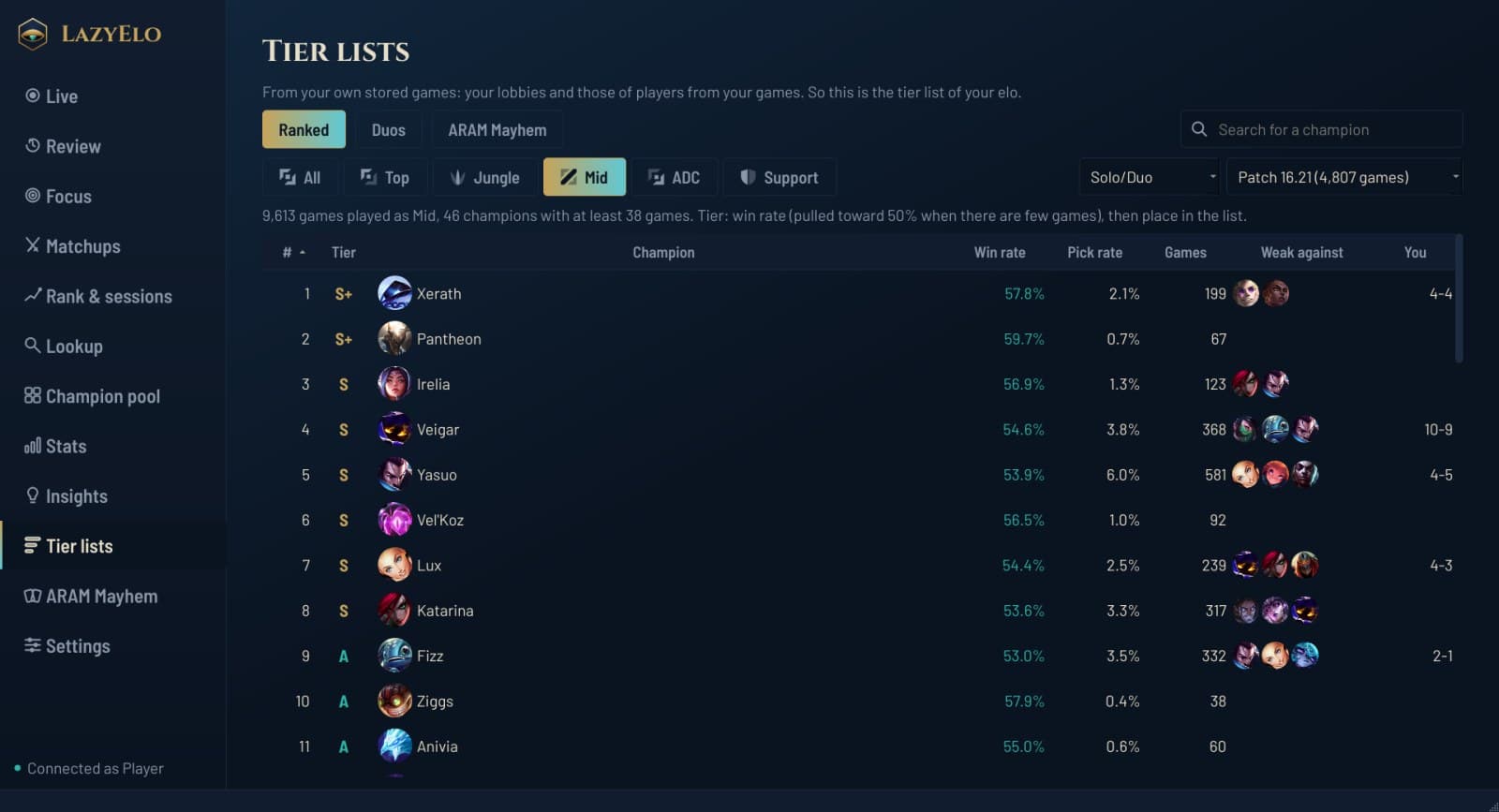
Tier lists from your own elo
Made from the games in your lobbies and those of the players you met there: thousands of ranked games per patch, at your elo and not the pros'. Per lane, for duos such as ADC and support together, and for ARAM Mayhem.
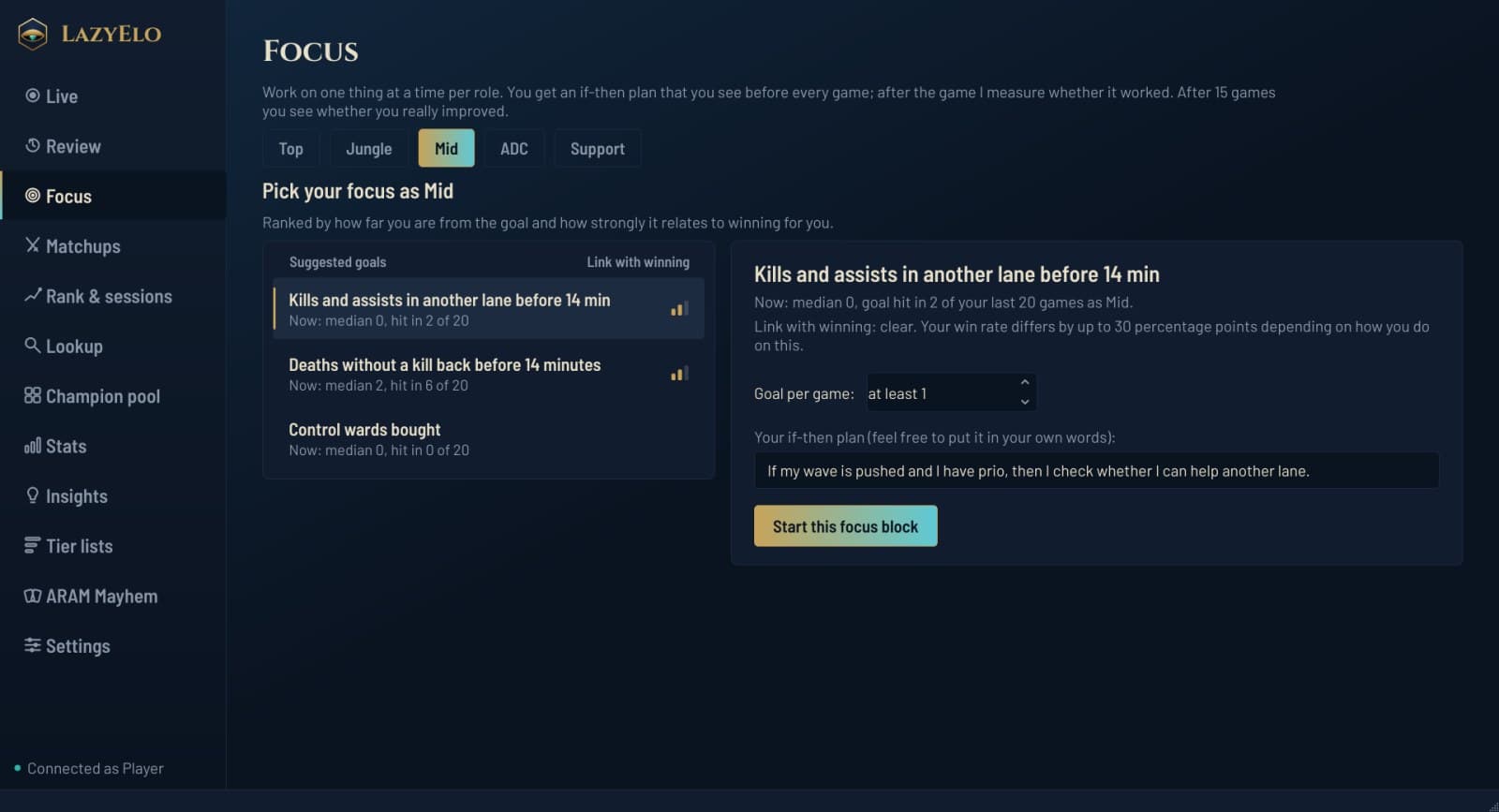
Get better at one thing at a time
LazyElo looks through your own games for what goes with winning most for you, such as your CS at ten minutes or your deaths before fourteen minutes. You pick one goal, get an if-then plan you see before every game, and after fifteen games you see whether it works.
What LazyElo never does
- Never clicks for you
- It doesn't accept, pick or lock anything. Everything that happens in your game, you do yourself.
- Doesn't read game memory
- Only Riot's official sources and the client. That's why it runs fine next to Vanguard.
- Doesn't give orders in game
- No enemy timers and no alerts. Only what you also see on TAB, but easier to read.
- No ads, no third parties
- No ads and no account with another company. Your games stay on your own PC.

35 themes, with a skin behind them
From the calm Hextech to Star Guardian, PROJECT and High Noon, most with a faint splash art in the background. Pick one in Settings.
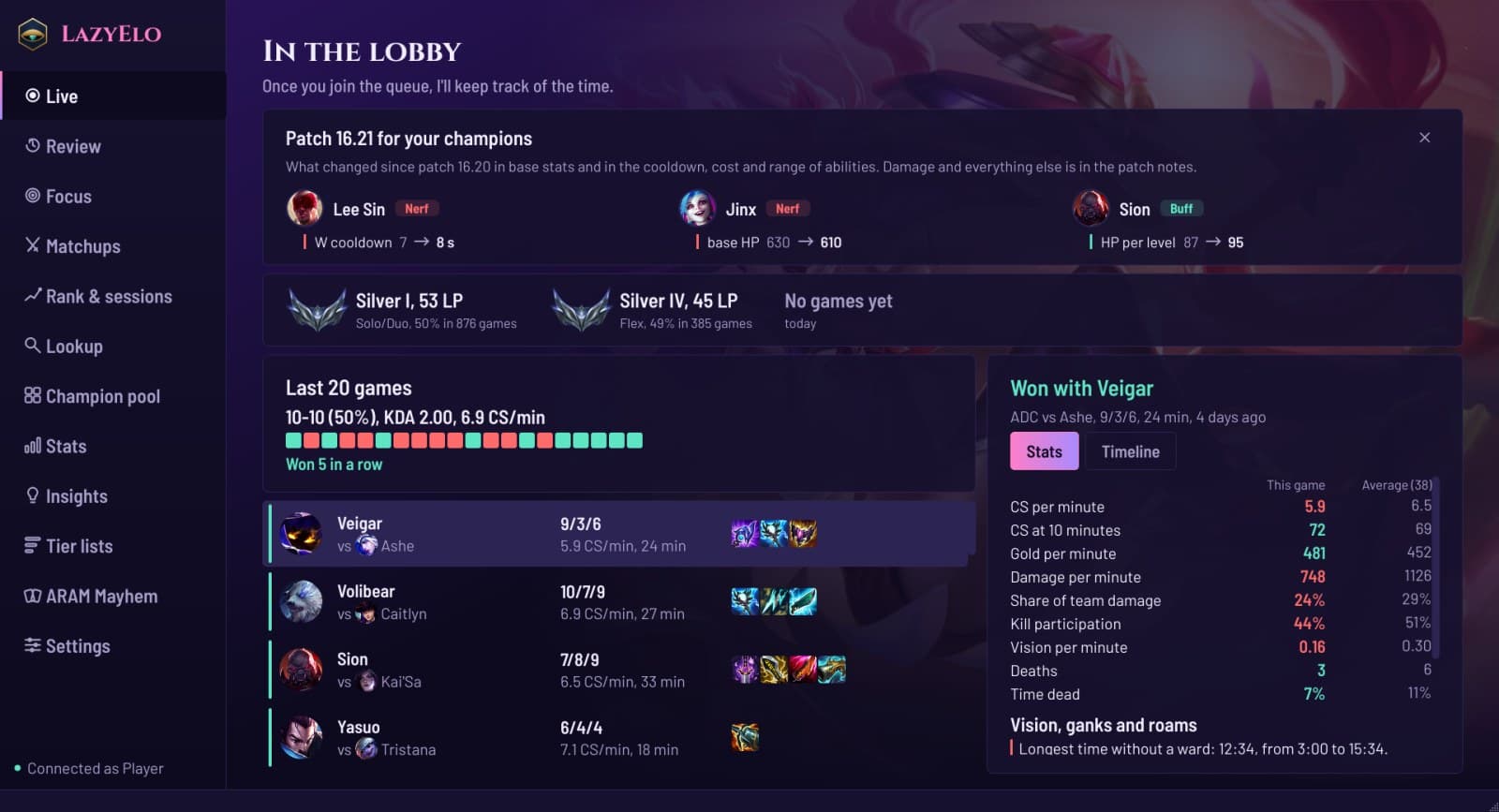
The theme picker and more examples are on the screenshots page.
Start free, Plus if you want more
Create a free account, download LazyElo and log in. A new account gets 7 days of Plus, no card needed. After that it's your choice: carry on with Free, or go Plus or Pro. Never any ads, and new versions install themselves.
Free, version 0.15.0, 50 MB, for Windows 10 and 11