Skip to content
LazyEloGet the app
Menu

Features

LazyElo follows your game from champ select to the post-game review. Everything comes from the League client, Riot's official API and your own saved games.

Before the game

Champ select

LazyElo sees which lane you play, who your team has already picked and which enemies are known. From the champions you play, it picks the best one and explains why.

  • Your win rate on the champion, the matchup in your lane and how it fits your team.
  • A warning when a champion is a risky blind pick.
  • Your build and runes for that champion, and the rest of your pool with their chances.
  • It only helps you choose: you pick and lock yourself.
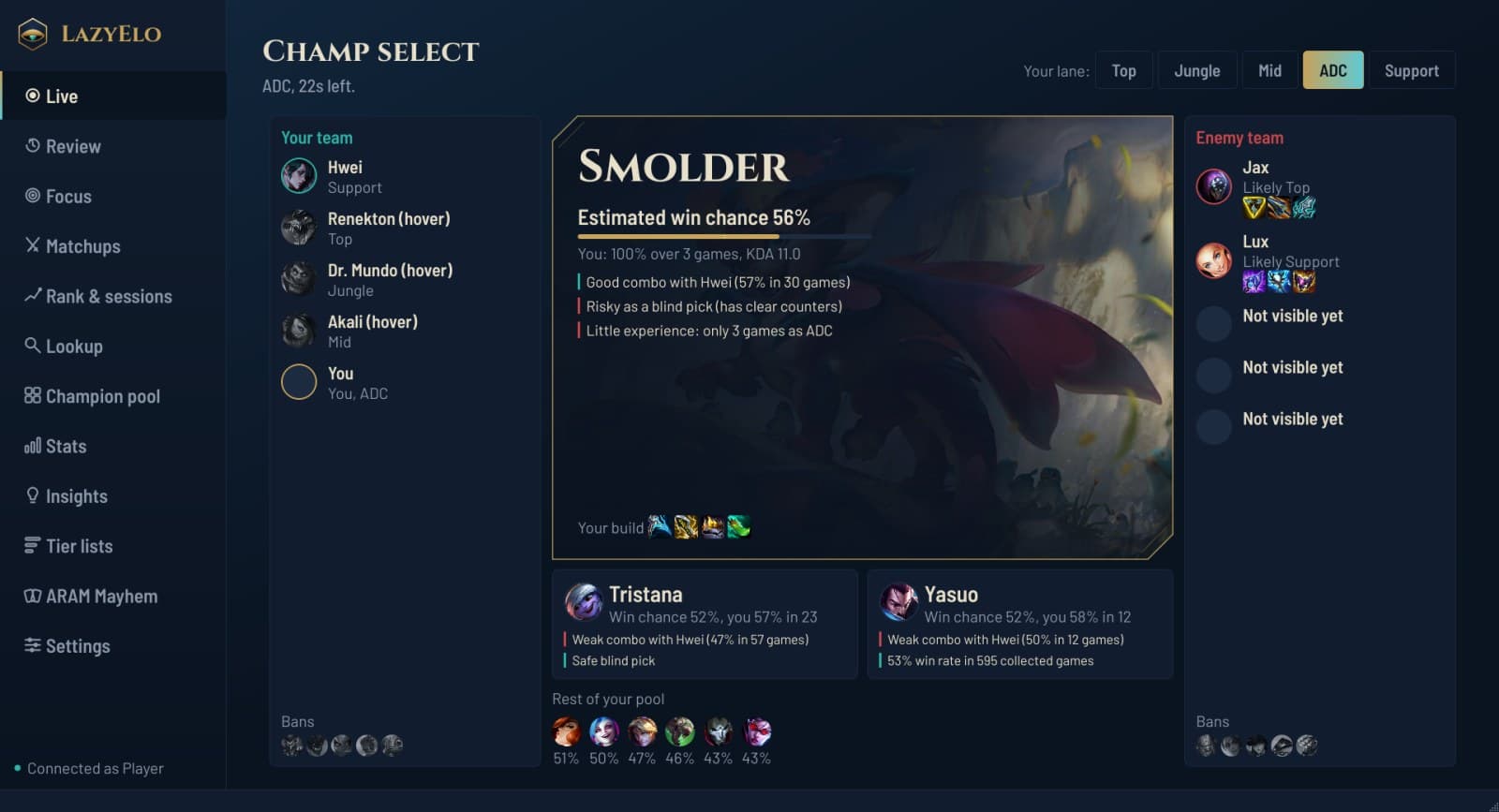
Champ select advice: the recommended champion from your pool and the rest of your pool
Champ select: the champion from your own pool that fits this draft best, and why.

Loading screen scout

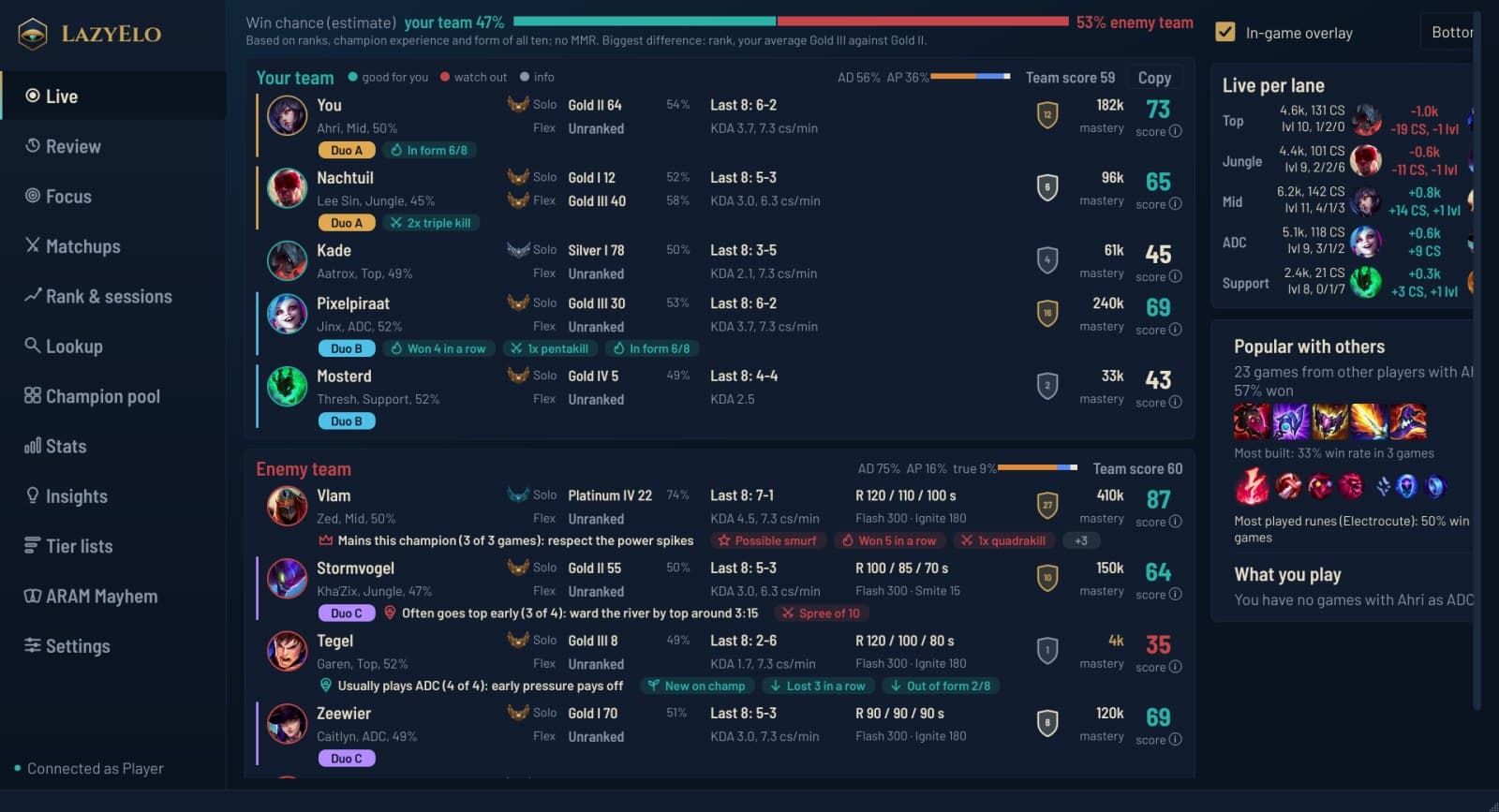
As soon as the game loads, LazyElo fetches each player's rank and recent games. One screen shows you who is dangerous and who isn't.

  • A score per player from rank, experience on the champion, form, KDA and farm.
  • Premades in their own color, so you see which players queue together.
  • Labels such as one-trick, autofill, new to this champion or a long win or loss streak.
  • Which side their jungler usually starts on and where the first gank lands.
  • Each team's win chance, and each team's split of AD and AP damage.
LazyElo's loading screen scout with both teams, a score per player, premades and live stats per lane
The scout in the loading screen: who is premade, a score per player, the win chance and each team's AD/AP split.

During the game

Overlay

A see-through bar over your game, right on the bottom edge: your team left of your ability bar, the enemies right of it. Your clicks go right through it.

  • Per player: level, K/D/A, CS per minute, item value, kill participation, spells and items.
  • Per lane, green for whoever is ahead and red for whoever is behind.
  • A dead player turns gray with the seconds until respawn, as on TAB.
  • Kills, towers and dragons per team, and the enemies' damage split.
  • You can turn it on and off and drag it, and on a 16:9 screen it sits at the top by itself.
The in-game overlay: your team left of your ability bar, the enemies right of it
The overlay in game: your team left of your ability bar, the enemies right of it. Green is ahead, red behind.

Live per lane, and your build

Your second screen shows the same comparison per lane, with your champion's build and runes below it: what others buy most and what you buy yourself.

  • Updated every three seconds from the game's own scoreboard data.
  • Your Focus plan for this game on screen.

After the game and beyond

Post-game review

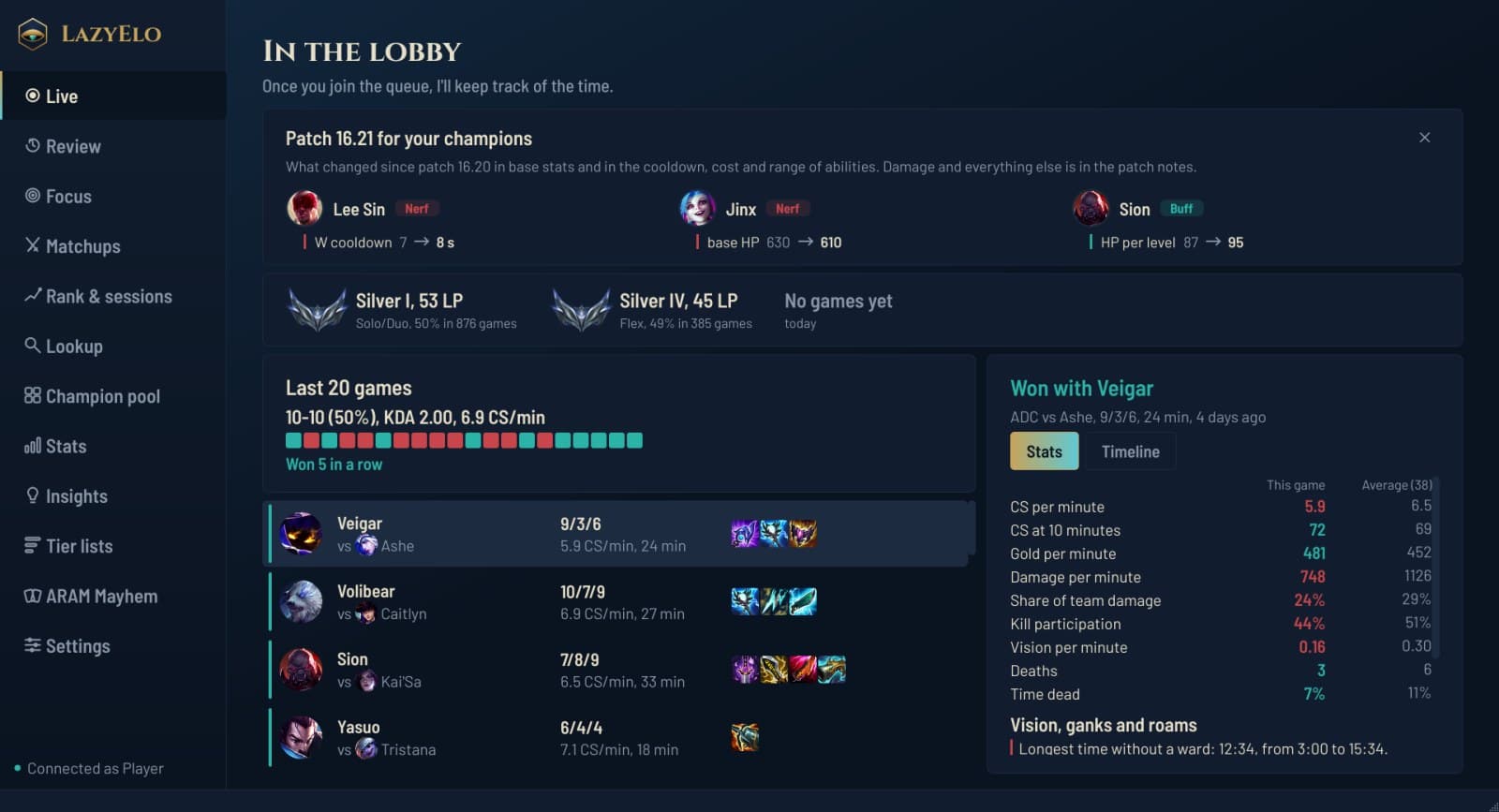
After every game you see what went well and what could be better, compared with your own average on that champion.

  • Your longest time without a ward, ganks on you with no ward nearby, and your roams.
  • Numbers such as CS at ten minutes, damage per minute and time spent dead.
  • A short explanation in plain language, if you turn on AI with your own key.
The lobby with your rank, your last twenty games and the review of one game
In the lobby: your rank, your recent games and, per game, what you can do differently.

Focus

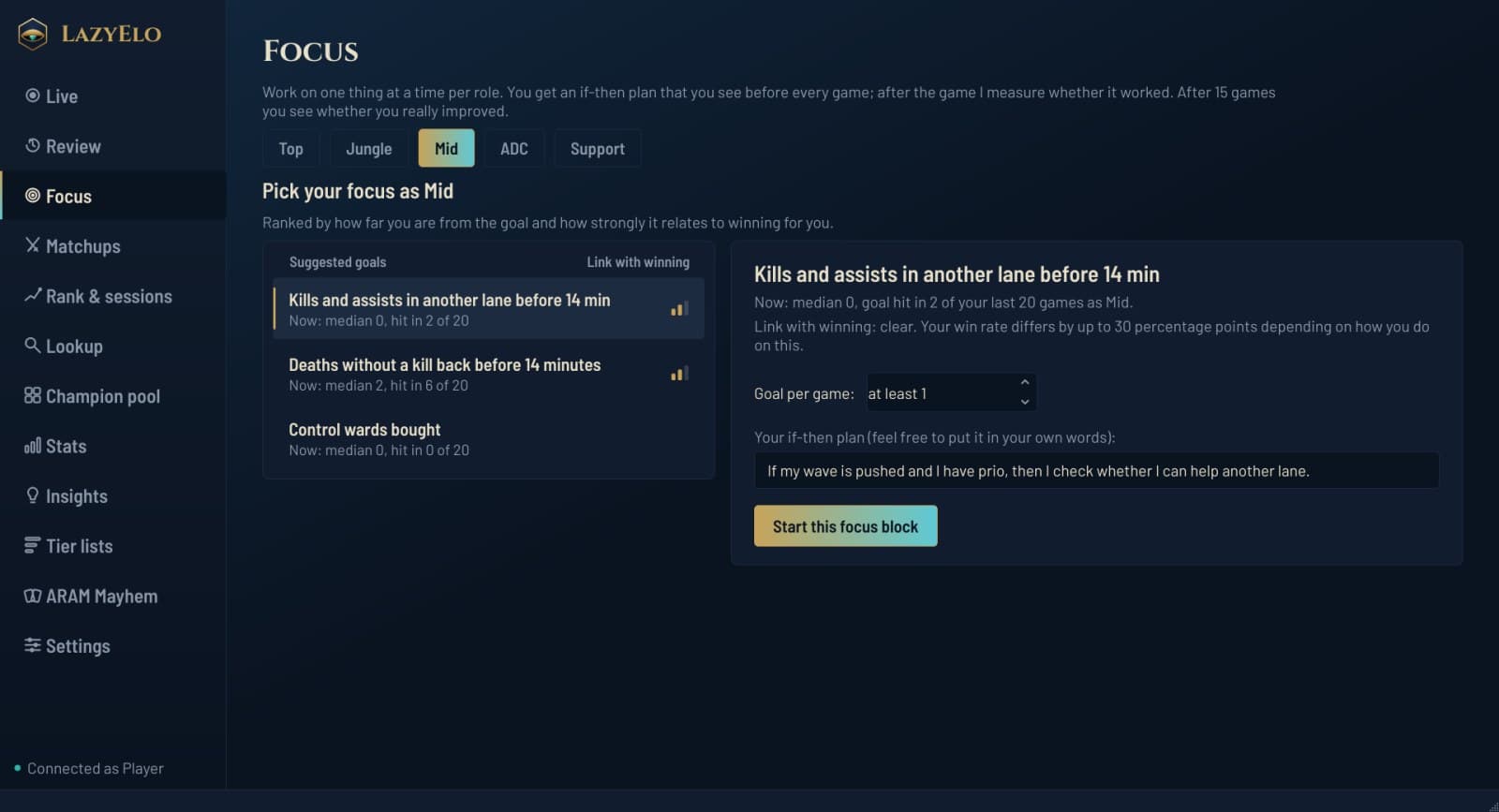
Per role you work on one thing at a time. LazyElo suggests the goals that go with winning most for you.

  • An if-then plan you see before every game, for example: if I have 1,100 gold and my wave is pushed, then I recall.
  • After every game it measures whether you did it; after fifteen games you see whether you really got better.
The Focus page with one improvement goal and an if-then plan
Focus: one goal per role, with an if-then plan you see before every game.

Insights

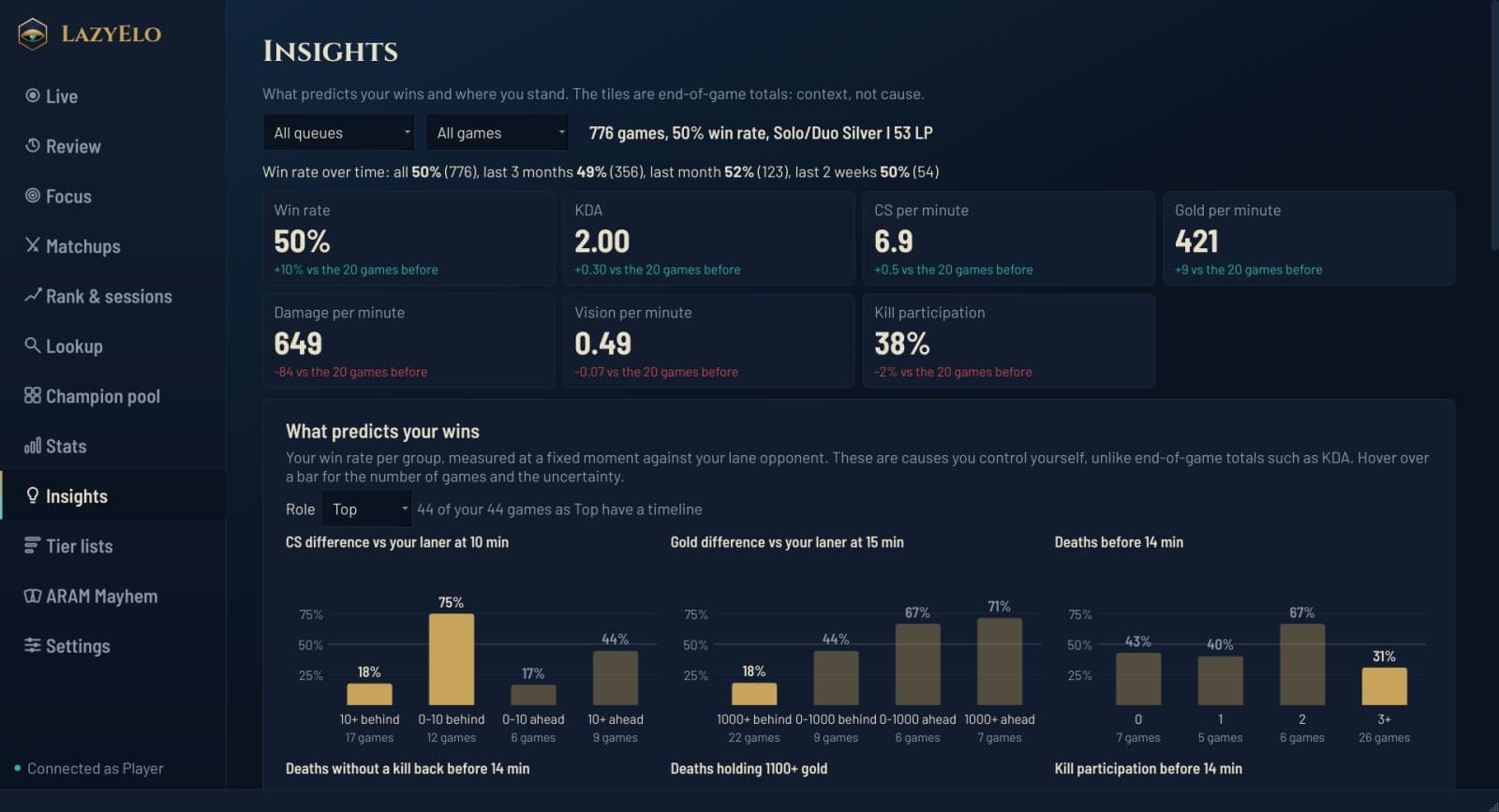
What predicts your wins, measured in your own games, with the number of games behind each group so you know how sure it is.

  • Win rate per period: all time, three months, one month and two weeks.
  • Who you play with most and how often you win together.
  • How much LP you won or lost today, and your own session rule for breaks.
Insights with win rate per period and what predicts your wins
Insights: what goes with winning, measured in your own games.

Tier lists

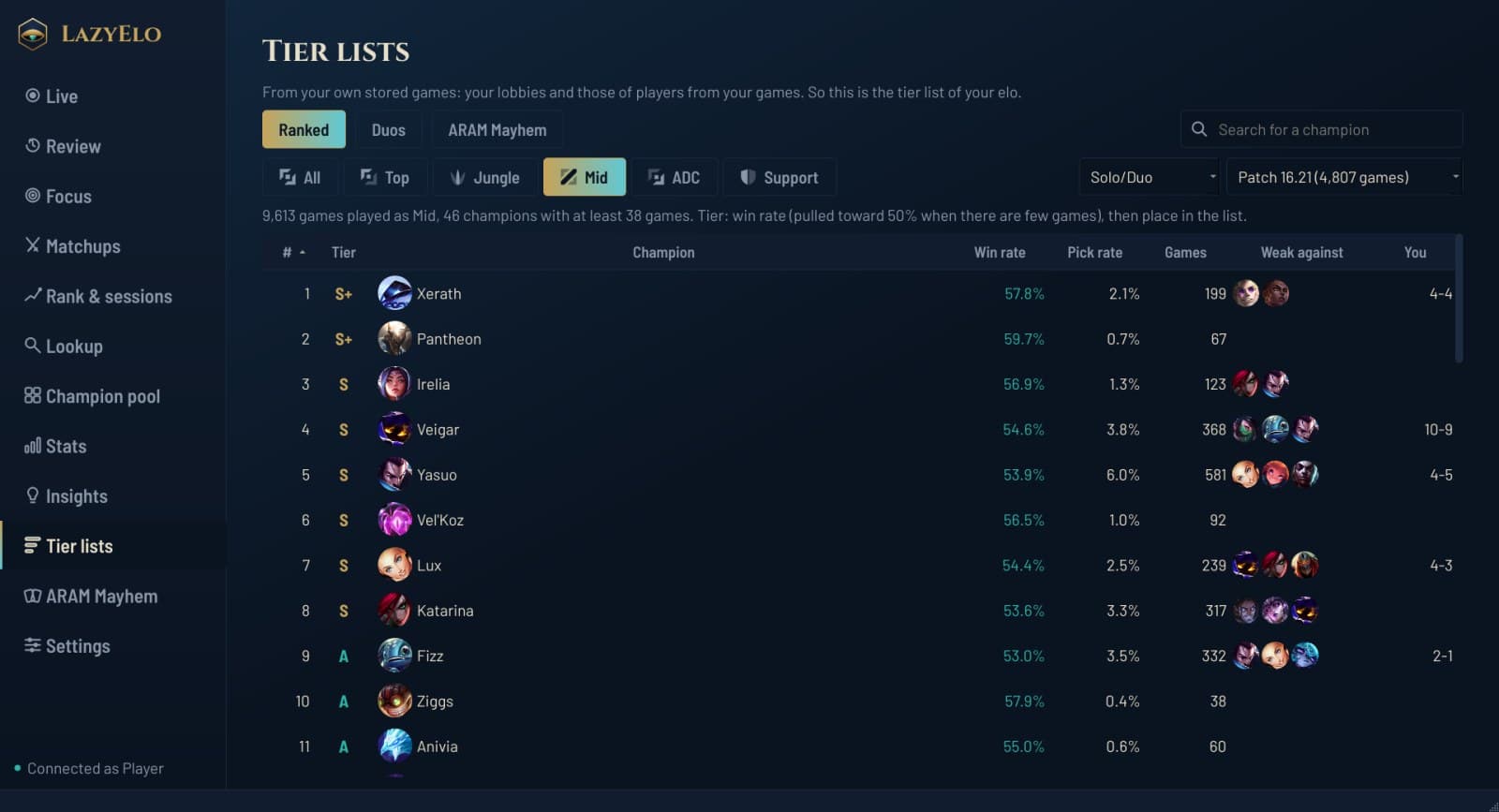
Made from the saved games of your lobbies and the players you met, so at your level. A champion with only a few games doesn't just end up at the top.

  • Ranked per lane, with the three champions each pick struggles against most.
  • Duos: ADC and support, mid and jungle, top and jungle, jungle and support.
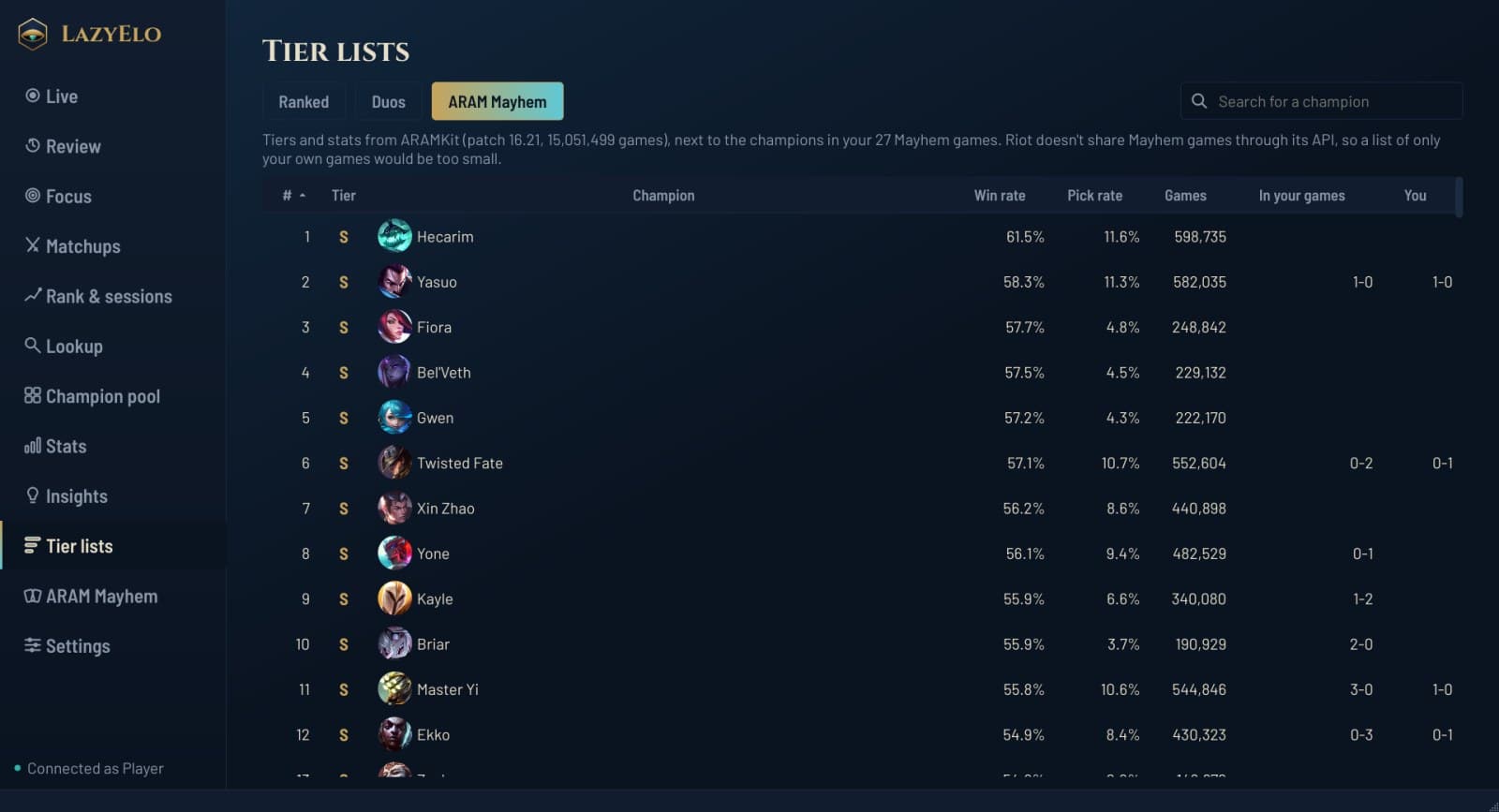
  • ARAM Mayhem: the strongest champions, next to your own results.
  • Per patch, or the last two or three patches together.
A tier list per lane made from games at your own elo
Tier lists per lane, from thousands of games of players at your level.

ARAM Mayhem

In the Mayhem lobby you see which champion on your bench is strongest. In game you look up the augments you're offered.

  • What each augment does and which champions it suits.
  • Your Mayhem build in the overlay.
A tier list of champions in ARAM Mayhem
ARAM Mayhem: the strongest champions, next to your own results.

The app itself

35 themes

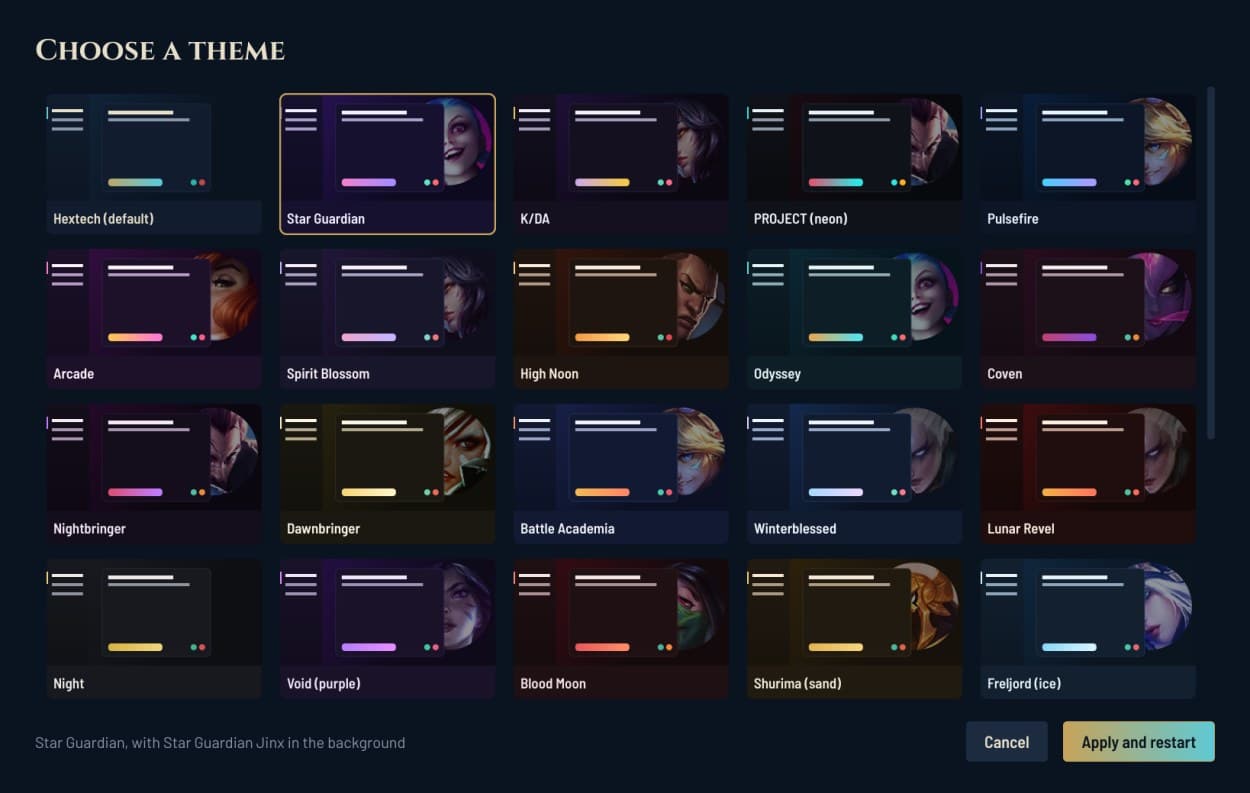
From light and high contrast to Star Guardian, PROJECT and Coven. Most themes have a faint splash art of a matching skin in the background.

  • Every theme is tested for readability.
  • Pick one from the gallery in Settings.
The theme picker with a preview of each theme
35 themes, most with a splash art in the background.

Updates itself

A new version downloads in the background and only installs when you're not playing. You stay logged in.

  • Made for a second screen: everything fits without scrolling, in game too.
  • A bug report takes one click, and it contains no keys.

Want to try it?

Download for Windows

Free, version 0.15.0, 50 MB, for Windows 10 and 11